The 5 Automations That Run 90% of My Content.
Ideation, scripts, lead magnets, email capture and call prep, with the exact tools and the Notion templates to build each one. This took my Instagram from 400 to over 25,000 followers with $0 ad spend and put 20,000+ leads in my CRM.
Phone is optional. By adding it you agree Orgrowth may call or text you about this; message and data rates may apply, and you can opt out any time.
You'll also receive my content strategy newsletter with more free breakdowns.
The five automations, in order
Foundation
By the end of this guide you will have one Notion page that every automation reads from, and five automations running on top of it, each one feeding the next. Views feed the list, the list feeds the calendar, and the calendar arrives already prepped. Here is what we are building, in the order the video walks through it.
- ▸Brand Brain: one Notion page with your ICP, offer, north star, knowledge pillars and content formats. Template included.
- ▸Automation 1, Ideation: the creators you track get scraped on a schedule and scored against their own baseline, so outliers surface themselves and you never scroll for ideas again.
- ▸Automation 2, Script writing: a scriptwriter that reads your Brand Brain and your voice document and hands you three hooks and a first draft in ten minutes a day.
- ▸Automation 3, Lead magnets: a specific giveaway built from a video you already made, with one keyword on line one of the caption.
- ▸Automation 4, Email capture: a DM automation, an email tool with a welcome email and a tracked link, so every comment becomes an email you own.
- ▸Automation 5, Sales call prep: the booking fires a webhook, the prospect gets researched and scored out of 30, and the brief is waiting before you open your laptop. Database included.
The line that holds all five together is 90/10. AI does the 90: ideation, research, first drafts, magnets, capture, call prep. You do the 10: the last pass on every draft, your face on camera, and the call on what is worth posting. Take yourself out and you are a faceless account competing with ten thousand faceless accounts.
Brand Brain (do not skip this)
Free Notion templateNone of the five automations work off a blank chat window. When AI has no context it writes the average of the internet, and the average is the definition of slop. When it reads from your knowledge base, everything becomes data driven and grounded in your business. The live template is embedded below: scroll through it, then open it in Notion and click Duplicate in the top right corner to copy it into your workspace, and fill in the five sections in your own words. I broke down exactly how I built mine in the video linked below.
- ▸ICP: the one customer you are trying to reach, what they want, what they do not want, their pain in their own words, and the yes or no checks that qualify them.
- ▸Offer: what they buy, the price, who it is for, the result you promise and what is not included.
- ▸North star: the single goal every content decision serves this month, with a 30 day success definition and your weekly cadence.
- ▸Knowledge pillars: the three to five things you have earned the right to teach, each with proof and stories.
- ▸Content formats: the formats you repeat, with the call to action each one carries.
claude mcp add -t http notion https://mcp.notion.com/mcpConnect Notion to Claude once and every prompt in this guide can read the Brand Brain and write back to it. On claude.ai, open Settings, then Connectors, connect Notion and approve the workspace you duplicated the template into. In Claude Code, run the command above, then type /mcp and sign in to Notion when it asks. From then on, 'read my Brand Brain in Notion' at the top of any prompt is enough.
Automation 1: Ideation
This one decides what I film before I write a single word, and it is the reason I have stayed consistent. Business owners post whatever they thought of that morning, copy the biggest account in their niche who has a different audience and a different personality, and never check whether the thing they copied actually worked. An outlier is a post that beats its own account's baseline, not a post with a big number on it: 300,000 views on an account that normally does 20,000 is a signal, and the same 300,000 on an account that normally does 2 million is a flop. I track 26 creators and have scraped over 1,000 of their posts, and I have not scrolled Instagram for ideas in months.
- ▸Go to apify.com, create a free account, and open the Apify Store. Search for an Instagram scraper (there are several; the ones that return reels with view and comment counts are what you want). Paste in the handles of the creators you track and run it once to see the output.
- ▸Set it to run on a schedule (weekly is enough) so the new posts land without you opening a single profile. Export the results as a spreadsheet or JSON.
- ▸Transcribe the videos so you can search what they actually said, not what the caption claims. My guide below covers the exact tool stack for pulling reels down and letting Claude read them.
- ▸Score each post against that creator's own median views, not against a raw view count, and look at each reel twice, a week apart. A reel that opened at 40,000 and is at 300,000 the next week is a completely different lesson to one that opened at 300,000.
Take the structure, never the content. The scrape tells you what shape is working in your niche this week (the hook shape, the beat order, the CTA type), and you decide what you have earned the right to say inside it. If the only reason a line is in your script is that it worked for someone else, it comes out.
Automation 2: Script writing
This one costs me about ten minutes a day and it replaced the job I used to do for other people. The scripts I see from business owners fail for three reasons: no context, no proven structure, no strategy. Fix all three by giving Claude three things every time: a reference script whose structure you are borrowing, a voice document trained on how you actually speak (I say it's and don't, never it is and do not), and your Brand Brain. Then ask for the script. Below is the exact prompt I type, with my own paths swapped for yours. Keep one version for short form and a separate one for YouTube long form, because you speak differently in each.
reference script: [paste the link to the reel or video whose structure you want]

my voice: [the path to your voice document, e.g. my-voice.md]

my business context: [paste the link to your Brand Brain page in Notion]

write me a script based on this reference
AI does the research, the ideation and the first draft. You do the final pass and you are the one on camera. Skip the pass and your audience smells it in two seconds.
Automation 3: Lead magnets
Views are rented, emails are owned, and nobody comments unless there is something worth commenting for. Across my last 200 posts, the 99 with a lead magnet and a one word keyword averaged 8.6 times the views of the 99 without. Give away something so specific to your ideal customer that they would feel stupid scrolling past it: a guide, a repo, a template, a prompt, something with edges. Every magnet I have is generated from a video I already made, on a page like this one, and I have over 15 of them live. The best single one has taken over 8,500 emails from 14,000 visitors. Here is the setup, in order.
- ▸Claude Code: install it and point it at your website or your brand guidelines so it writes a brand kit into the project (colours, fonts and spacing). Everything you generate after that inherits the look, so every magnet matches your brand without you touching design.
- ▸GitHub: create a free account and a repository for the project. It is a backup of your code on the web, and it is what the hosting reads from.
- ▸Vercel: create a free account, connect the GitHub repository, and every change you push goes live on its own URL in about a minute. Point your domain at it when you are ready.
- ▸Build the magnet from the script: give Claude Code the video's script or transcript and ask it to pull out the checklist, the prompt or the template the video promises and build it as one page with a form that asks for a first name and an email before the guide is revealed. Push it, and Vercel puts it live.
- ▸DM automation: pick one word as the keyword and put it on line one of the caption. Set up a DM automation so that when someone comments the keyword, it replies with the link to the page. The resource never goes out in the DM itself; the DM carries the link and the page carries the form.
- ▸Tracked links: make a separate link for each placement (the DM automation, the YouTube description, the newsletter) that all land on the same page with different tracking tags. That is how you know which post produced which email instead of guessing.
Specific beats vague every single time. One word as the keyword, on line one of the caption, and never 'follow for more'.
Automation 4: Email capture
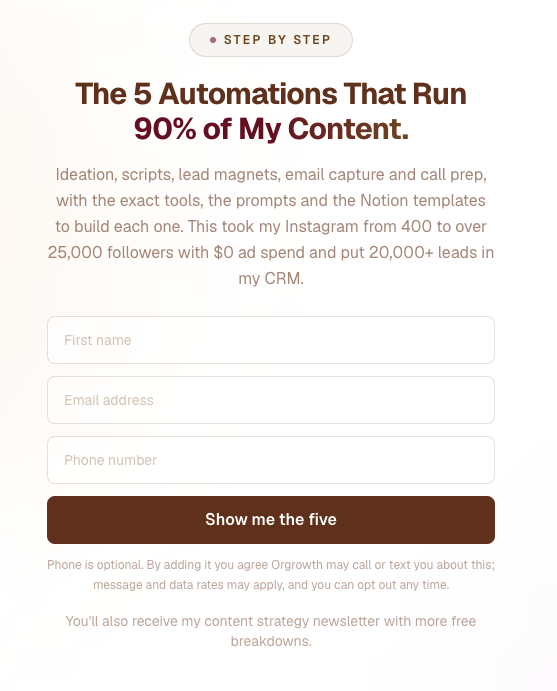
Most business owners put a link in their bio with free resources without getting anything in return from potential clients. The lead lands somewhere they do not own, and they never see that person again. Email capture is the fix: the page asks for a first name and an email before it hands over the resource, exactly like the form you filled in a couple of minutes ago to open this guide. That is what it looks like below. The moment the email lands, two things happen: it is written into the list you send from and the CRM you sell out of at the same time, and your email tool sends a welcome email straight away. Check your inbox: mine went out to you the moment you added your email to this page. I have over 20,000 leads in my CRM, and if Instagram deleted my account tomorrow the followers would be gone and the emails would not.
- ▸An email tool that sends a welcome email the moment someone subscribes, runs a nurture sequence after it, and can send a proper newsletter every week. Beehiiv, GoHighLevel and Resend all work; I run Beehiiv and GoHighLevel together.
- ▸The form on the page asks for first name and email, and reveals the resource on the page the moment it is submitted. Phone can be optional; nothing else.
- ▸A welcome email that goes out automatically, so the first thing they ever get from you is not silence.
Once the emails are landing, double down on the magnets that bring in leads who match your offer, not the ones that bring in the most emails. Early on I had magnets that were general AI tools; they filled the list with people who were never going to buy.
Automation 5: Sales call prep
Free Notion databaseThis is the one nobody in this niche talks about, because everybody stops at the email. Business owners prep at 11pm the night before, or open the call knowing nothing and burn the first ten minutes catching up, or prep it properly and lose 40 minutes a call they never get back. Make the booking itself do the prep. Someone books, a webhook fires, and before you know the call exists the system has scraped their whole personal brand, followed their bio link, torn down the funnel they actually have running, read the transcript of their video sales letter, scored an authority audit out of 30 across profile, content and funnel, and written your discovery script for that specific person with their numbers and their gaps filled in. Over 80 calls have run through mine in the last 60 days and it has written over 400 tasks I would otherwise have typed myself. This one is bigger than a single prompt, so build it in three stages, and log every call in the database below so the pain points pile up where your content can use them.
- ▸Document your sales process in Notion. Write down, step by step, what you do before a call today: what you look at on their profile, what you check on their website, what you score, what you want to know before you open the call. Duplicate my Discovery Calls Database below and give every call a row: the prospect, the verdict, the pain they described in their own words, the objections that came up and the next step.
- ▸Connect that Notion page to Claude Code with the Notion connection from the Brand Brain step. Ask Claude Code to read your sales process page and run it for one prospect by hand, and fix the process page until the output is what you would have written yourself.
- ▸Automate it off the booking. Calendly and GoHighLevel both fire a webhook the moment someone books; the GoHighLevel guide below shows exactly how to set one up. Point the webhook at the automation, so it runs on the booking rather than on your discipline, and make it retry when a scrape fails and email you if it still cannot finish.
- ▸After the call, record it with Fireflies so the transcript and every action item land back on the call's row.
- ▸Tag every pain point from every discovery call. The Patterns by JTBD Tag board groups them by the job the prospect is trying to get done, so the pains, triggers and objections that keep coming up stack into the same column. That column is your content strategy for next month: the hooks, the objections to answer on camera, the words your buyers actually use. My meetings-to-ideas guide below shows how to mine each call transcript into it.
Never take a call you have not been briefed on. Every time you update the process page in Notion, the automation follows, so nothing falls behind where your best practice actually sits.